Start with the decision
A threshold is a product decision about what happens next. It can route a result into an automatic action, a human review queue, or a request for more information. Raising a number without examining those outcomes can create more work without making the customer's experience safer or more useful.
This guide extends the existing Jev confidence workflow with a practical evaluation method. The interactive worksheet uses outputs and expected labels you supply; it does not run a model or report a newly measured accuracy result. Keep the task, model configuration and score definition fixed while comparing thresholds.
Name the action the threshold controls
Start with the proposed automatic action, not the score. Sending a support message to an internal queue, applying a content label and authorizing a consequential customer action have different failure costs. A threshold suitable for one should not be copied into another merely because the field name is the same.
Write what an incorrect automatic action would cause and how it could be recovered. Then decide which outcomes need review and which require more information. This prevents a convenient numeric cutoff from quietly becoming the entire business policy.
Confirm exactly which score you are using
TypeSafe's documentation distinguishes choice distributions, confidence and noul values. Record the exact output field and question type in the worksheet. A value in a familiar zero-to-one range does not make every field an interchangeable probability of a correct real-world decision.
Keep the score definition close to the application rule. If you change the number of labels, the question wording or the provider mapping, reevaluate the rule rather than assuming the old threshold remains comparable. The goal is a traceable decision path, not a threshold that survives every change by accident.
Prepare expected labels before inspecting predictions
Use representative inputs that you are allowed to evaluate, and remove unnecessary personal data. Write expected outcomes from the policy or task definition before looking at model outputs. Otherwise, it is easy to accept a convincing prediction as the answer it was supposed to find.
Include straightforward cases, ambiguous wording, missing context and cases near the action boundary. If reviewers disagree, record that disagreement. It may mean the policy needs an exception or clarification, rather than that one particular model prediction is obviously wrong.
Keep a held-out check separate from tuning
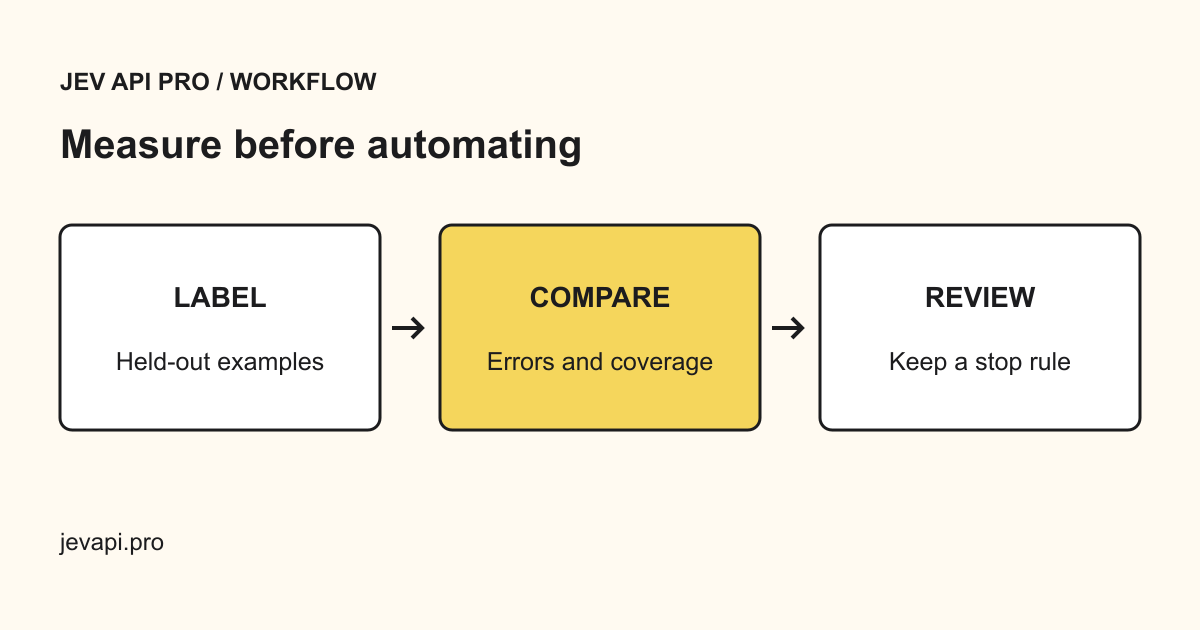
Use one portion of the examples to understand behavior and adjust the question design. Keep another portion untouched until you have chosen a candidate threshold. Repeatedly changing the rule after looking at the same outcomes makes the apparent performance less useful for unseen requests.
The important separation is behavioral, not a magic split percentage. Record which cases influenced the rule and which were used only for the final check. When the task changes materially, refresh the examples so the evaluation still represents the requests the product will receive.
Validate the rows before calculating results
Each row should contain the predicted label, the expected label and the score used by the rule. Check that labels belong to the intended schema and numeric scores are finite and in the documented range. Empty labels and invalid numbers should appear as unresolved rows rather than silently becoming a negative or zero.
Keep duplicate tasks visible if they represent repeat attempts, and identify them when summarizing unique user tasks. Mixing retries with independent examples can change the apparent review and error rates. The worksheet should explain which unit it counts so the result can be interpreted correctly.
Calculate acceptance and review separately
For a candidate cutoff, identify the rows that would be accepted automatically and those that would be sent for review. Among accepted rows, compare predictions with expected labels and count errors. Show the raw counts alongside the rates.
Accepted-error rate means accepted wrong decisions divided by accepted decisions. Review rate means reviewed decisions divided by the valid evaluated decisions. These measure different outcomes. If no decision is accepted, the accepted-error rate is undefined; displaying zero would make a policy that automates nothing look perfectly accurate.
Inspect the tradeoff across several cutoffs
Move the threshold and watch which cases change route. A higher cutoff may reduce the accepted set, but it does not prove that every remaining decision is correct. Inspect the actual confident mistakes, not just the shape of a chart.
Compare a few candidate cutoffs against the action requirements and available review capacity. Do not select a value solely because it creates a smooth-looking graph. Record why the chosen point provides an acceptable balance for this task, and preserve the nearby alternatives in case the operational requirements change.
Review the groups that matter to the product
An overall rate can hide a poor result for a smaller but important group of inputs. Inspect relevant task types, languages, message lengths or ambiguous categories where you have enough examples to make a useful observation. Do not invent subgroup certainty from a handful of cases.
Use these checks to find concrete failures and decide what needs more evidence. If a subgroup is too small, label the conclusion uncertain and route cautiously until there is enough information. A broad average is not a substitute for checking the situations that could cause expensive customer mistakes.
Separate uncertainty, missing information and service failure
A low-scoring decision can require human judgment. Missing input may require a question to the user. A timeout or malformed response is a technical failure. These should not all enter the same loop of calling the model again.
Define a visible recovery path for each state. Keep retries bounded, preserve a task reference, and avoid applying a consequential action until the result satisfies the contract. A threshold is one part of this control flow; it cannot repair invalid input or turn a failed request into a valid decision.
Check review capacity and the cost of recovery
Estimate how much work the proposed review queue creates using your own observed task volume and review time. Keep estimates labeled as estimates. If the queue cannot be handled, reducing the threshold blindly may simply move the work into customer complaints or later corrections.
Include the cost of wrong accepted actions and repeated requests where relevant. The useful objective is a correct completed workflow at acceptable cost, not the highest automation percentage. Sometimes clarifying the task or collecting a missing input is a better improvement than changing the score cutoff.
Try the rule alongside the current workflow
Before using a new threshold to change customer outcomes, observe what it would do while the current process remains authoritative. Compare the proposed routes with actual reviewer decisions. Look especially at cases the candidate would accept confidently but a reviewer would reject.
Use this stage to verify implementation as well as model behavior. Confirm the exact field is read, the comparison includes the intended boundary, invalid rows are handled visibly, and the review route is reachable. A correct policy written in an article can still be implemented incorrectly in an application.
Keep the threshold tied to a versioned task
Save the selected cutoff, score field, model or endpoint version, question schema, evaluation date and acceptance criteria. Preserve a few representative correct and incorrect examples with appropriate data handling. This makes later changes explainable.
Recheck the relevant cases after a model, prompt, label set or workflow change. On this site, use the actual decision tool to obtain task outputs and the worksheet to inspect the proposed policy. This guide does not establish a universal safe threshold or claim that a specific automation rate has already been achieved.
Is 0.9 always a good confidence threshold?
No. A cutoff only makes sense with a defined score, task, action and evaluation set. Use the observed tradeoff and the consequences of errors.
Can accepted-error rate be zero when nothing is accepted?
The ratio is undefined because its denominator is zero. Show no accepted decisions rather than a misleading zero-error claim.
Should every uncertain result be retried?
No. Uncertainty, missing information and technical failure need different recovery paths. Repeated calls are not a substitute for a review policy.
Does moving the worksheet slider run Jev or change production?
No. It recalculates routes and counts from the supplied observations. It does not call a model or apply customer actions.
Sources
TypeSafe confidence definitions · TypeSafe typed-decision introduction · Existing Jev confidence guide