What zero-shot classification means
In classic supervised text classification you collect hundreds or thousands of labelled examples per category, train a model, and retrain whenever the categories change. Zero-shot classification skips the task-specific training step. A model that already understands language is given the candidate labels at request time and chooses the one that best fits the input. “Zero” counts the labelled examples of your task the model has seen, not the work you still have to do.
The idea is older than large language models. Research on zero-shot learning described recognising classes that were missing from the training data by relating them to things the model already knew. For text, a well-known approach reframes classification as natural language inference: each label becomes a hypothesis such as “This text is about billing”, and a model trained on entailment scores how strongly the text supports it. The Hugging Face zero-shot-classification pipeline made that approach popular with NLI models such as BART fine-tuned on MNLI. Instruction-tuned language models made the pattern simpler still: the labels and a short rule go into the request, and the model returns a choice.
Zero-shot, few-shot and fine-tuned models compared
Zero-shot uses labels and instructions only. It is the fastest way to start, needs no data collection, and lets the categories change from one request to the next. It is weakest when a label depends on company jargon or a subtle policy boundary the model cannot infer from the words alone.
Few-shot adds a handful of worked examples to the request. That often fixes one confusing boundary between two labels, at the cost of longer requests and the risk that the model copies surface features of the examples, such as their length or tone, instead of the rule.
A fine-tuned model is trained on your own labelled data. At high volume on a stable label set it is usually the most consistent option, but it needs a labelled dataset, a training pipeline and a plan for retraining every time the categories move. A practical path is to begin zero-shot, measure where it fails, add a few examples for those boundaries, and consider fine-tuning only when volume and a settled taxonomy justify the upkeep.
How a zero-shot request is built
Every zero-shot request has three parts: the text to classify, the list of allowed labels, and an instruction that says how to choose between them. The labels are the contract. If the model may only answer with one of them, your code never has to parse free prose, and an answer outside the list can be rejected instead of guessed at.
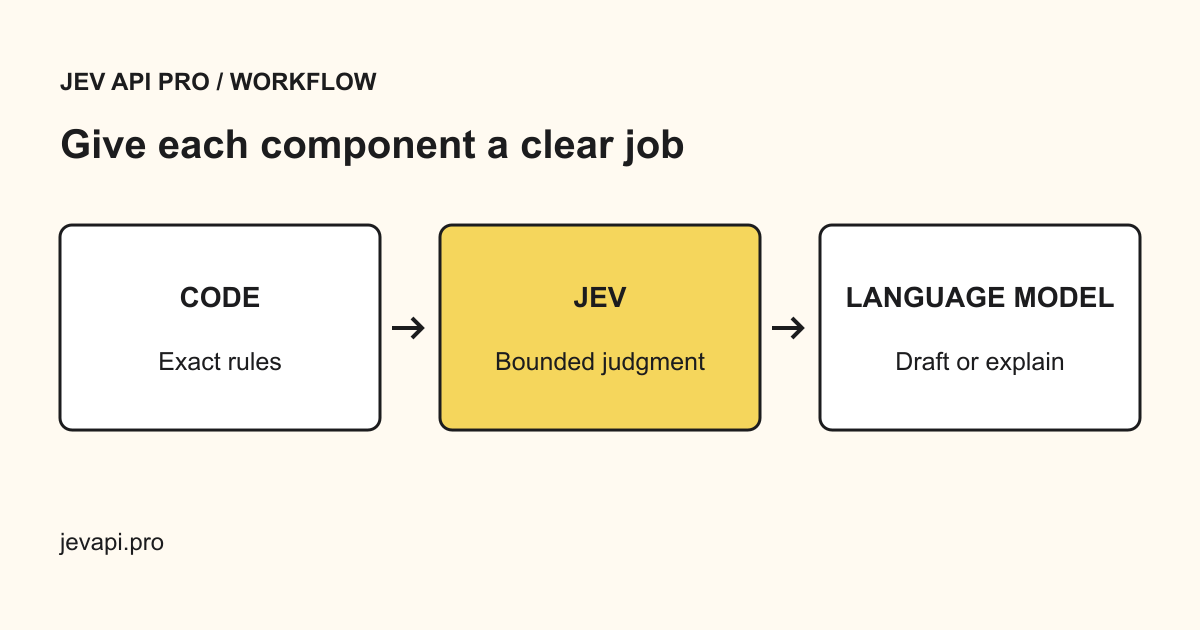
Jev API Pro is built around that contract. You send the text, your instructions and the labels, optionally with a confidence threshold, and receive one of your labels with a confidence value when the model supplies one. A result under the threshold is marked for review rather than treated as final. The request below can be pasted into the playground as it is.
{
  "text": "I was charged twice for the March invoice, please refund one of them.",
  "instructions": "Choose the team that can resolve the request. Use other when none applies.",
  "labels": ["billing", "technical support", "account access", "other"],
  "threshold": 0.8
}
Try this request in the playground · Request and response contract
Writing labels a model can separate
Most zero-shot errors come from the label set, not the model. Labels that overlap, such as “complaint” and “billing issue”, force the model to pick a dimension you never specified. Give each label one axis: who owns the work, what action is requested, or which policy applies. If you need two axes, such as topic and sentiment, make two separate decisions.
Use plain words the model already knows rather than internal codes: “refund request” is easier than “FIN-2”. Where an internal name is unavoidable, explain it once in the instruction. Always include an escape label such as “other” or “needs clarification”, so a message that fits nothing has somewhere honest to go.
Keep the list short. Five to ten well-separated labels are far easier to evaluate than forty. When a taxonomy is large, route to a family first and classify within that family in a second decision.
Where zero-shot classification fails
Negation and quotation are the classic traps: “Do not cancel my account” contains the word cancel. Mixed requests are another: a message asking for a refund and a password reset has two right answers unless your rule names the primary one. Domain language matters too, because product names, abbreviations and regional phrasing may never have appeared in the context the model learned from.
Instructions hidden inside the text are a separate risk. A customer message can contain sentences that read like commands to the model. Treat the input as evidence to classify, say so in the instruction, and never let a classification on its own trigger an irreversible action such as a refund or an account deletion.
Confidence helps, but it is not a guarantee: a model can be confidently wrong. Use the threshold to decide what a person sees, and calibrate it on your own labelled examples instead of trusting a default value.
Test before you automate
Collect 100 to 300 real messages, remove personal data, and have the people who own the work label them. Run the same set through your zero-shot rule and compare the answers. Look closely at confusion between labels that lead to different actions; one overall accuracy figure can hide an expensive mistake, such as cancellations landing in the wrong queue.
Start in suggestion mode: write the predicted label into a field and let your team accept or correct it. Track corrections per label. Automate one reversible route once its error rate is acceptable, keep low-confidence results with a person, and re-run the evaluation set whenever you change the labels or the instruction.
How to evaluate a classifier · Classify a whole file in batch