What the OpenAI Moderation API returns
According to the OpenAI moderation guide (read on 26 September 2026), the current model, omni-moderation-latest, accepts text and images but not audio, and the endpoint is free to use. Image files can be up to 20 MB. You can call it on its own, or pass a moderation object in a Responses or Chat Completions request and receive scores for the input and the generated output together.
Each result has four parts. flagged is true when the model classifies the content as potentially harmful. categories holds a true or false value per category. category_scores holds a value between 0 and 1 per category, which OpenAI describes as the model’s confidence. category_applied_input_types tells you whether a score came from the text, the image, or both.
There are thirteen categories: harassment and harassment/threatening, hate and hate/threatening, illicit and illicit/violent, self-harm with its intent and instructions variants, sexual and sexual/minors, and violence and violence/graphic. Several of them are text only; if you send an image without text, those categories score 0.
Where the free endpoint is the right answer
If your policy is essentially “no harassment, hate, sexual content, self-harm promotion, violence or instructions for crimes”, the endpoint already speaks your language. It costs nothing per call, covers images for several categories, and gives per-category scores you can log and threshold. For a chat product or a comment box on a small site, it is a sensible first filter, and there is no reason to pay for a second system that re-labels the same categories.
Two cautions come from the guide itself. OpenAI says it plans to upgrade the underlying model continuously, so custom rules that depend on exact category_scores may need recalibration over time. It also says to treat moderation scores as signals for your own policy, not as an automatic blocking decision; even a refusal that discusses harmful content can be flagged. And it is explicitly not a tool for detecting child sexual abuse material, which needs dedicated safeguards and reporting.
Where a fixed taxonomy stops
Real policies contain rules that no general harm model was trained to enforce: no off-platform sales in a marketplace, no referral links, no personal phone numbers in public reviews, no medical dosage advice in a parenting forum, no job ads in a support community, no competitor comparisons in sponsored posts. None of these map cleanly to the thirteen categories, and a comment can be perfectly polite and still break your rules.
The opposite also happens. A news community may allow graphic descriptions in reporting, and a recovery forum may need to keep posts that mention self-harm while escalating the ones that express intent. A flag from a general model is then the start of a question, not the answer. What you need is a classifier that reads your written policy, chooses among outcomes you defined, and says when it is unsure.
Custom policy classification with Jev API Pro
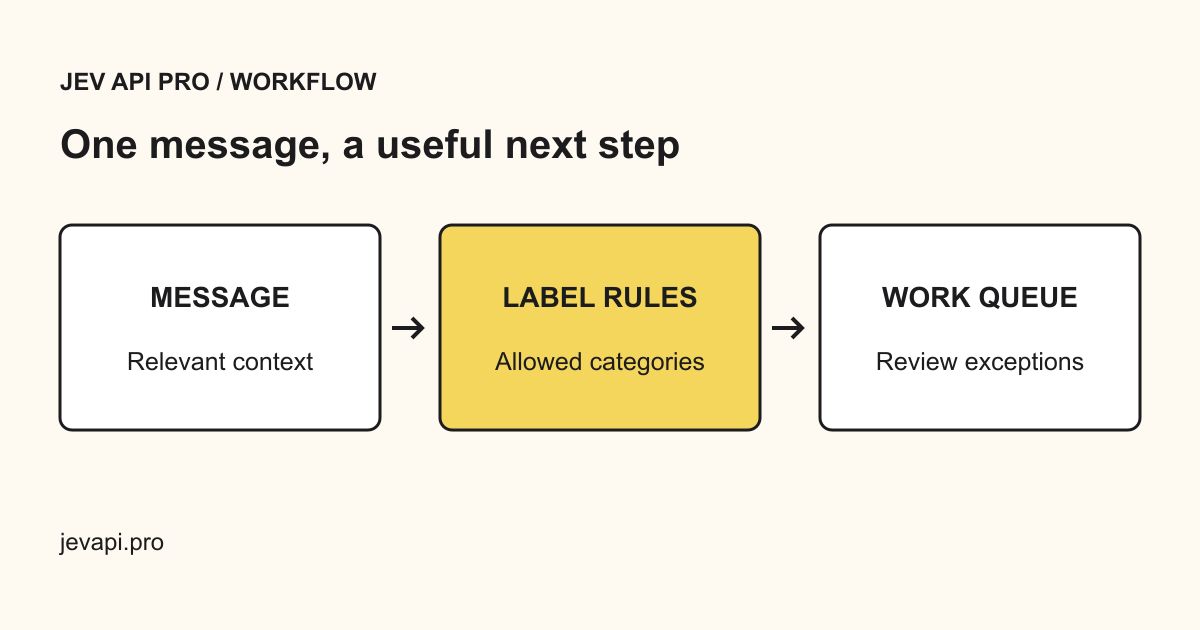
Jev API Pro takes text, your instructions and the labels you allow, and returns one of those labels with a confidence value when the model supplies one, plus needsReview when the answer falls under your threshold. A common moderation set is allow, review and block, but the labels can be any list your team already uses. It accepts text only; it is not an image, audio or video moderation system.
It is not free. One request costs one credit; on the prices published on 26 September 2026 that is about $0.019 per decision on the $19 pack of 1,000 credits, and between roughly $0.0083 and $0.0039 on annual plans. Submitted text is sent server-side to OpenRouter and the model provider behind it, as the security page explains, so check that processing chain against your own obligations before sending user content.
{
  "text": "DM me for a 40% discount code, cheaper than the official store.",
  "instructions": "Apply our marketplace comment policy. Block links to off-platform sales, review unclear promotion, allow everything else.",
  "labels": ["allow", "review", "block"],
  "threshold": 0.85
}
Content moderation classification · Where submitted text goes · Pricing
Layer them instead of choosing one
The two tools answer different questions, so many teams run both. Send every item to the free endpoint first and act on the categories where your policy is clear. Send the remainder, or only the surfaces where your own rules matter, to a policy classifier with your labels. Route anything marked needsReview, and every appeal, to a person. That keeps the paid step small and keeps people on the cases where judgement matters.
If you would rather run the model yourself, open-weight safeguard models are a third option. Meta describes Llama Guard 4 as a 12-billion-parameter model that runs on a single GPU, reads text with images, answers safe or unsafe with category codes, and accepts custom category descriptions in its prompt. Meta also notes it is optimised for English text, so test other languages before relying on it.
Layer 1  OpenAI Moderation API   free   13 fixed harm categories   text + images
Layer 2  Your policy classifier   paid   your own labels            text
Layer 3 People staff appeals, edge cases anythingEvaluate before you enforce
Collect a few hundred real items, including reported ones, and have two people label them against your written policy before you look at any model output. Then compare each layer with those labels, category by category, and count false positives and false negatives separately: the first silences legitimate users, the second exposes others to harm. Record the model name, threshold and date with every run, because both vendors can change the model behind the same name.
Start in suggestion mode, where the classifier proposes and a moderator decides, and only automate the outcomes that stayed accurate on your held-out set. Publish an appeal path. A score, from any vendor, is not a legal finding and should never be presented to a user as one.
Evaluate classification before automating work · LLM as a judge: typed rules you can audit