Compare the output contract before the model
Jev accepts context and typed questions. Its documented primitives select an option, assign a score, or estimate a proposition through a Noul value. It does not draft a response, explain its reasoning in prose, or execute a tool. A generative LLM is the relevant candidate when the required output is an email, summary, explanation, or code. Some generative models also support constrained structured outputs, so JSON alone is not a fair reason to prefer Jev.
Write down the exact field the next step consumes. If it is one of your existing queue names, compare classification approaches. If it is a useful answer to a customer, evaluate generation. A workflow can use both, but adding a separate classifier needs to earn its place through better results, lower total cost, or simpler operation.
TypeSafe introduction and typed primitives · Understand structured outputs
Use one ticket to expose the boundary
Consider the message: I was charged twice and cannot access my account. A single label may hide part of the problem. Decide whether your task is to choose the first responsible team, identify multiple issues, or write a response. Those are three different acceptance criteria. For a first-owner decision, document whether billing takes priority and include a review outcome when the available context cannot support one destination.
Keep the result as a suggestion while testing. A label must not trigger a refund, account change, or outgoing email by itself. Your application owns those actions and their permissions. If you also generate a reply, evaluate its factual accuracy separately from the routing label; a correct queue does not prove that the proposed answer is safe or useful.
Measure correctness separately from confidence
A valid label can still be the wrong label. TypeSafe documents confidence derived from the answer distribution for Choice and Score questions; it is not a separate guarantee that this particular answer is correct. Do not compare that number directly with a generative model's self-reported certainty. They are different signals with different failure modes.
Choose review thresholds using your own labeled examples. Measure mistakes among accepted results as well as the share sent for review. Break those figures down by queue, language, and input length. An attractive overall average can conceal a costly error pattern in a small category. Include ambiguous messages and inputs that belong to none of your normal categories, and keep missing or malformed results visible.
How TypeSafe defines confidence · Choose a confidence threshold
Run a fair comparison against a simple baseline
Reserve examples that you do not use to adjust instructions. Send each candidate the same necessary context, category definitions, and expected outcome. Include a simple baseline such as rules or an existing classifier. If a deterministic rule already resolves the task accurately, an extra network call may not improve it. Keep numerical calculations, exact validation, and permission checks in ordinary code.
Record model version, instructions, test date, failures, and latency observed by your application. Count unsuccessful requests instead of deleting them from the spreadsheet. TypeSafe's published Jev limitations include difficulties with precise numerical reasoning and some forms of ambiguity; these belong in your test set. A demo, a vendor benchmark, or one successful ticket is not evidence for your production workload.
Compare cost per usable result
Published token prices are only one part of the decision. Estimate model requests, retries, fallback calls, and the time people spend reviewing uncertain results. Compare that total with the number of correctly completed tasks. A cheaper first call can cost more overall if it sends most cases to another model or leaves your team correcting assignments.
Pricing references were checked on 25 September 2026 and can change. TypeSafe's direct API, OpenRouter access, and this workspace use separate service and billing arrangements. A provider's token rate is not a Jev API Pro subscription price or a promise about how many workspace credits a particular plan includes. Check the route you will actually use before budgeting.
Current TypeSafe model pricing · Workspace plans and included credits
Choose the smallest workflow that passes your test
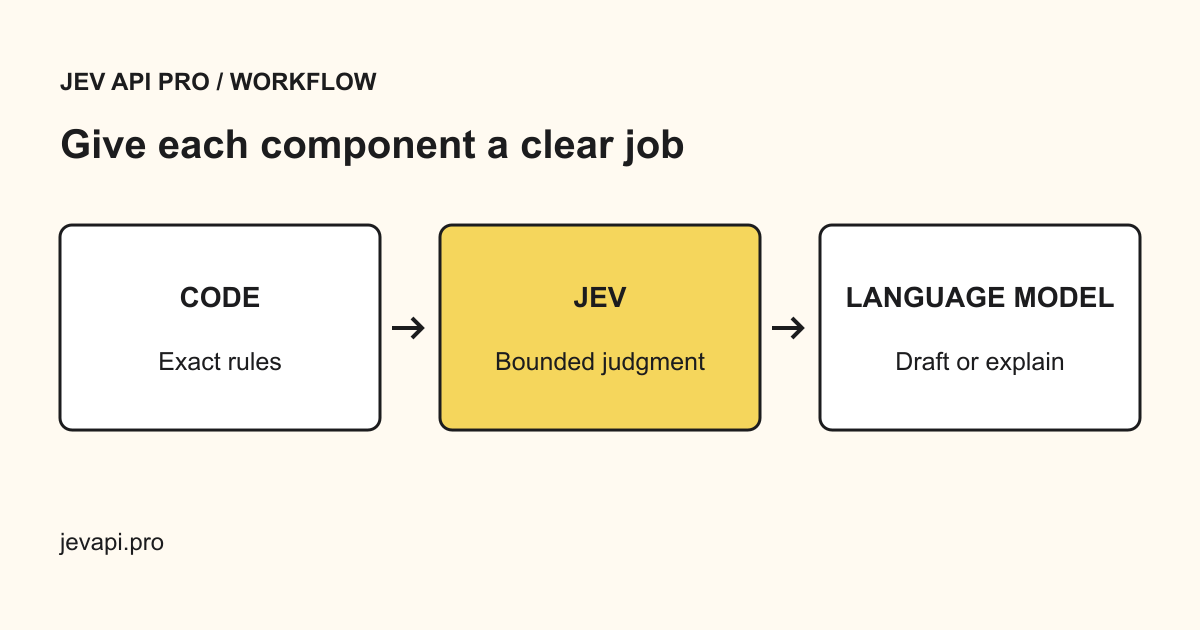
Use Jev when a bounded decision passes your quality checks and improves a measured part of the workflow. Use a generative model when the output must be written or synthesized. Use ordinary code when the answer follows an exact rule. Combine them only where the handoff has a clear owner, a validated contract, and a useful failure path.
Begin with an offline sample, then compare suggestions with real operator decisions before allowing automated assignment. Define what happens when the provider is unavailable, the response is invalid, or a result needs review. Keep credentials on the server. The next step here is to try the classification contract and inspect its output, rather than assume that replacing every model call will improve the product.
Jev API quickstart and access options · Review uncertain decisions